📌 Key Highlights
- Google Wallet now supports Aadhaar digital ID in India
- Users can store Aadhaar securely on their phones
- Linking happens via Aadhaar app → Link to Wallet option
- Useful for quick identity verification
- No need to carry physical Aadhaar card
📖 Introduction
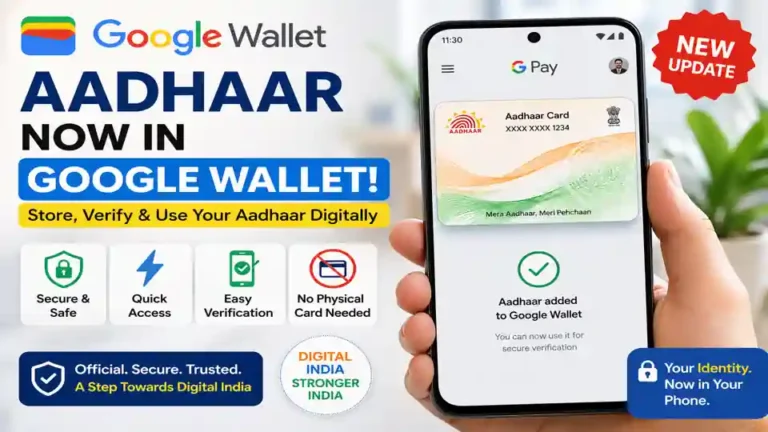
In a major update for Indian users, Google Wallet has started supporting Aadhaar digital ID, making it easier than ever to carry your identity on your smartphone. This move is part of Google’s broader push toward digital identity systems, and it could change how people use Aadhaar in daily life.
Instead of carrying a physical Aadhaar card everywhere, users can now securely store it inside Google Wallet. This means faster access, easier verification, and a more convenient digital experience.
💡 What is This New Aadhaar Feature in Google Wallet?
Google Wallet is a digital wallet app that allows users to store cards, tickets, and now digital IDs like Aadhaar.
With this new feature:
- Your Aadhaar details can be saved digitally
- You can show it when needed
- Verification becomes faster and simpler
This is especially useful for situations where ID proof is required quickly.
🔗 How to Link Aadhaar to Google Wallet (Step-by-Step guide)
Linking Aadhaar is simple, but you need the official Aadhaar app installed.
👉 Follow these steps and link your Aadhaar:
- Install or open the Aadhaar app
- Log in using your Aadhaar number
- Go to the option: “Link to Wallet”
- Tap on it and choose Google Wallet
- Allow permissions and confirm
- Your Aadhaar will now be added to Google Wallet 🎉
📱 Important Note
- You cannot directly add Aadhaar from Google Wallet
- Linking works only through the Aadhaar app (Aadhaar)
- This ensures better security and official verification
🚀 Benefits of Storing Aadhaar in Google Wallet
✅ 1. No Need to Carry Physical Card
You don’t have to worry about losing your Aadhaar card anymore.
⚡ 2. Quick Access Anytime
Just open your phone and show your ID instantly.
🔒 3. Better Security
Digital storage is protected with:
- Phone lock
- App security
- Encryption
📑 4. Easy Verification
Useful for:
- Travel
- Hotel check-ins
- KYC processes
🌍 5. Part of Digital India Vision
This step supports India’s move toward a fully digital identity ecosystem.
⚠️ Is It Safe to Store Aadhaar in Google Wallet?
This is the most common question.
👉 Yes, it is designed to be secure because:
- Data is encrypted
- Requires device authentication
- Controlled via official Aadhaar system
However, users should still:
- Keep phone locked
- Avoid sharing screenshots
- Use official apps only
🤔 Who Should Use This Feature?
This feature is useful for:
✔ Frequent travelers
✔ Students
✔ Working professionals
✔ Anyone who needs quick ID access
🧠 A Human Perspective
Let’s be real.
Most of us have faced situations where we needed our Aadhaar but didn’t have it with us. Maybe at a hotel, airport, or for verification.
This update solves that problem.
Now your phone becomes your identity wallet — simple, fast, and always available.
But at the same time, it also reminds us to be more responsible with our digital data.
🔮 What This Means for the Future
This update is not just about Aadhaar.
It signals a bigger change:
👉 Soon, more documents could be stored digitally
👉 Physical documents may become less important
👉 Digital identity will become the new normal
Google Wallet could become a central hub for all important IDs in the future.
🏁 Conclusion
The addition of Aadhaar support in Google Wallet is a big step toward convenience and digital transformation in India. It makes everyday tasks easier while reducing the need to carry physical documents.
If you already use Aadhaar regularly, this feature can save time and effort. And as digital identity becomes more common, updates like this will play a key role in shaping how we interact with services in the future.
⚠️ Disclaimer
This article is for informational purposes only. Always use official apps like mAadhaar and Google Wallet to manage your personal data securely.
Google blog you can check for more: Expanding digital IDs in India and around the world
👉 Also read: WhatsApp Plus new features