
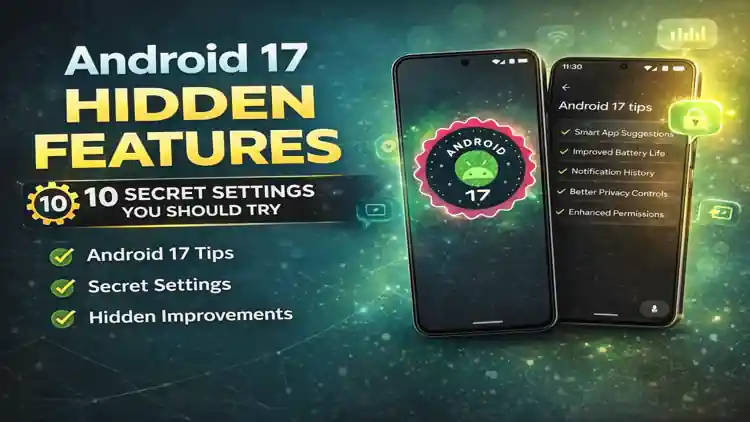
When I first installed Android 17, I honestly didn’t notice anything dramatic. No massive redesign. No flashy overhaul. No blot wears Apps.
But after using it for a few days, digging into the settings, and exploring beyond the surface — I realized something important: That there re features that can be usefull in daily life and my Androide 17 more Better and Good.
Android 17 hidden features are all about refinement, smarter controls, and better privacy.
If you’re already on Android 17 (or planning to update), here are 10 secret settings and improvements you should definitely try — along with how to enable each one.
If you’re upgrading, check our complete Android 17 vs Android 16 comparison.
1️⃣ Smarter Background App Control (Battery Saver Upgrade)
Android 17 improves how background apps behave. Some apps quietly drain battery — and this version gives you better control.
How to Enable:
- Go to Settings
- Tap Battery
- Open App Battery Usage
- Select any app
- Choose Restricted or Optimized
You’ll notice better standby battery life, especially overnight. This will save your battery too. These Android 17 hidden features make the update more useful than it first appears.
2️⃣ Improved Notification History
Missed an important OTP or message? Android 17 makes notification history more useful and easier to read.
How to Enable:
- Go to Settings
- Tap Notifications
- Open Notification History
- Turn it ON
Now you can scroll through previously dismissed notifications anytime. If your are in hurry and clear they notification dont worry notifications are in notification history. These Android 17 hidden features make the update more useful than it first appears.
3️⃣ Enhanced Privacy Dashboard
Privacy is a big focus in Android 17. The dashboard now gives clearer tracking of microphone, camera, and location usage.
How to Access:
- Go to Settings
- Tap Privacy
- Open Privacy Dashboard
You can see which apps used sensitive permissions in the last 24 hours.
If something looks suspicious, revoke access instantly. These Android 17 hidden features make the update more useful than it first appears.
4️⃣ Automatic Permission Reset (Smarter Version)
Android already reset permissions for unused apps — but Android 17 makes this smarter.
If you don’t use an app for a while, it automatically removes:
- Camera access
- Location access
- Microphone access
How to Check:
- Go to Settings
- Tap Apps
- Select any app
- Open Permissions
Inactive apps will show limited access.
This improves security without manual effort. These Android 17 hidden features make the update more useful than it first appears.
5️⃣ AI-Based App Suggestions (More Accurate Now)
After using Android 17 for a few days, I noticed the app suggestions feel more relevant.
Morning? It suggests productivity apps.
Night? Entertainment apps appear first.
Where You’ll See It:
- App drawer
- Multitasking screen
- Suggested apps row
No manual setting required — it learns from usage patterns. These Android 17 hidden features make the update more useful than it first appears.
6️⃣ Better Battery Optimization Per App
Android 17 allows more granular battery control per app.
How to Configure:
- Go to Settings
- Tap Apps
- Select an app
- Open Battery
- Choose:
- Unrestricted
- Optimized
- Restricted
For gaming apps, choose “Unrestricted.”
For rarely used apps, choose “Restricted.”
This improves performance and reduces heating. And you will be away from lagging issues. These Android 17 hidden features make the update more useful than it first appears.
7️⃣ Improved Quick Settings Customization
The Quick Settings panel now allows better layout control.
How to Customize:
- Swipe down twice
- Tap the Edit (pencil icon)
- Drag and rearrange tiles
You can now:
- Add more tiles
- Organize them cleaner
- Remove unused ones
Small change — but makes daily use smoother. These Android 17 hidden features make the update more useful than it first appears.
8️⃣ Enhanced Thermal Management (Less Heating)
Android 17 handles heavy usage better — especially during gaming or multitasking.
I tested it while gaming for 30 minutes — heating was slightly more controlled compared to Android 16.
There’s no visible setting here, but it works automatically in the background. These Android 17 hidden features make the update more useful than it first appears.
9️⃣ Advanced Developer Options Tweaks
If you like experimenting, Android 17 adds better control in Developer Options.
How to Enable Developer Options:
- Go to Settings
- Tap About Phone
- Tap Build Number 7 times
Then go back:
Settings → System → Developer Options
You can adjust:
- Animation scale
- Background process limit
- Logging options
Tech users will love this. These Android 17 hidden features make the update more useful than it first appears.
🔟 Improved System Animations & Smoothness
Android 17 feels slightly more polished.
Scrolling feels:
- More fluid
- More responsive
- Less jittery
This is subtle — but noticeable after a few days of usage.
No manual toggle needed. These Android 17 hidden features make the update more useful than it first appears.
Should You Upgrade for These Android 17 Hidden Features?
If you’re coming from Android 16, you may not see massive visual changes.
But if you care about:
- Better battery life
- Improved privacy
- Smarter AI suggestions
- More control over apps
Then yes — Android 17 hidden features make the update worth it.
Especially once the stable version rolls out. These Android 17 hidden features make the update more useful than it first appears.
According to the official Android developer documentation, system refinements improve performance.
Final Thoughts
Android 17 hidden features aren’t flashy — they’re practical.
After using it personally, I feel it focuses more on refinement and smarter system behavior rather than visual redesign.
It’s a subtle upgrade — but a meaningful one.
If you want to know Android 17 Beta Eligible Devices List: Is Your Phone Supported?
FAQs – Android 17 Hidden Features
Mostly Pixel devices get full support first. Other brands depend on update rollout.
Does Android 17 improve battery life?
Yes, especially with better background app control and optimization.
Is Android 17 stable?
The beta may have bugs. Stable release is more reliable.
Can I go back to Android 16?
Yes, but it usually requires factory reset and flashing the older version.